This online help document provides assistance navigating and using the U3Admin.org.au website. U3Admin.org.au is designed to provide membership, enrolment and other administrative services to your University of the 3rd Age (U3A).
The structure of this document for the most part follows the Administration Portal's menu structure. Don't worry if you do not see all the menu options discussed in the document. It simply means you are not authorised to view them. If you feel you should have access please refer to your security or systems administrator.
There are two ways to access this document...
|
By clicking the Help icon at the far right-hand side of the Home page. This method will provide complete access to the help document in a separate tab within your browser. Use this option to get a complete overview of all tasks and options available. |
|
By clicking the help button within a procedure. This method will provide help that is context sensitive to the procedure in which you are working. Use this option to get specific help on a given procedure. |


The Help System Menu
The help system includes a menu on the left side of the document. If this menu is not visible, click the hamburger icon on the top left-hand side of the help window...
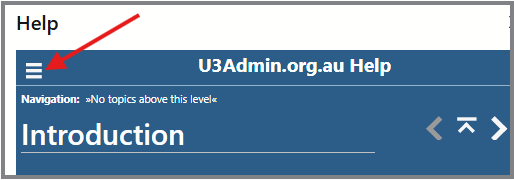
Alternatively, resize the window by dragging its border with your mouse.
Acknowledgement
This documentation was created using Help+Manual software provided by https://www.helpandmanual.com/. The software is provided free of charge to not-for-profit organisations for which we are grateful.